
Trail Community & Social Featuresfollow friends, share your adventures & look after the trails together
Trailforks is built by riders, hikers and trail builders. Follow your friends and local trail association, see what everyone is riding, report trail conditions, review trails and share every ride, run and hike with the people you choose.
- 4activity feed views
- 3audience settings
- 5privacy zones
- Freeto join
Activity feed
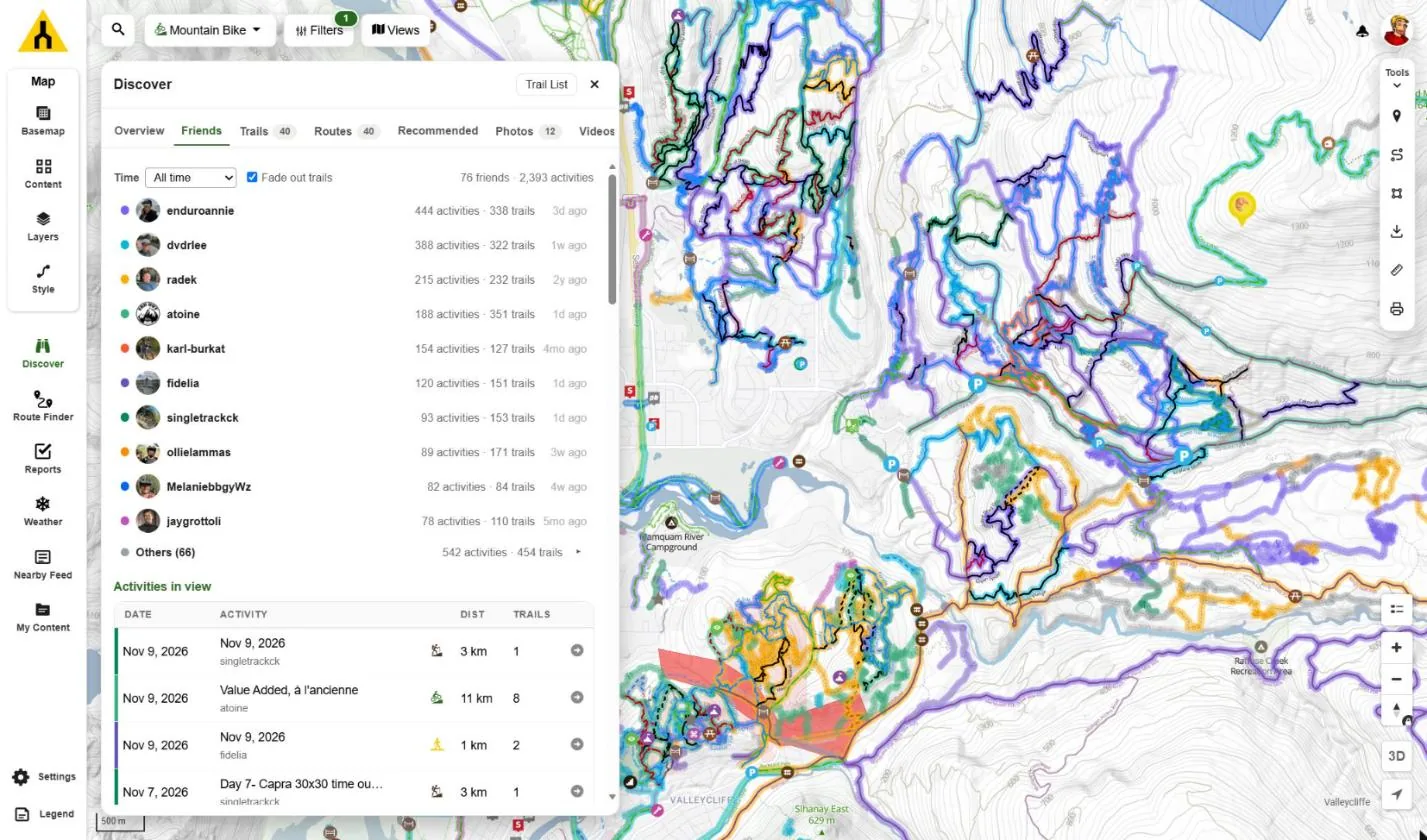
One feed for everything the people and places you follow are doing: activities, trail reports, new trails, photos, videos, badges, events and posts from local trail associations.
- Following — the people, regions and brands you follow, or just your friends
- Nearby — new content and activities around you, even from people you don't follow yet
- Province and Worldwide — what the wider community is up to
- Post your adventure — text, photos and links, shared with Everyone, Followers or Only You
- High Five, comment and repost — reply to comments, bookmark posts and repost with your own thoughts
Follow riders & find friends
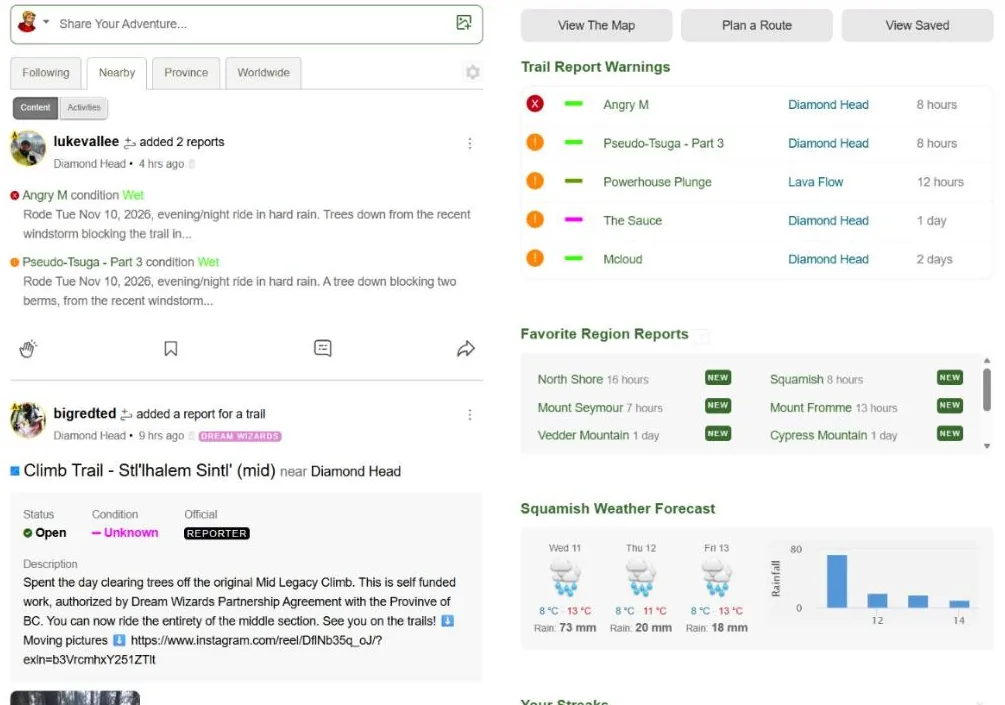
Follow the people you ride with and the places you love. Trailforks suggests who to follow based on the activities you have recorded together.
- People you've ridden with — riders matched from activities you recorded on the same trails at the same time
- Search and contacts — find people by name or match your Google contacts
- Follow more than people — regions, brands, trail associations and Outside authors
- Tag your crew — add the friends you rode with to your activity
- Follow requests and blocking — approve who follows a private profile, and block anyone
Discover Friends on the map
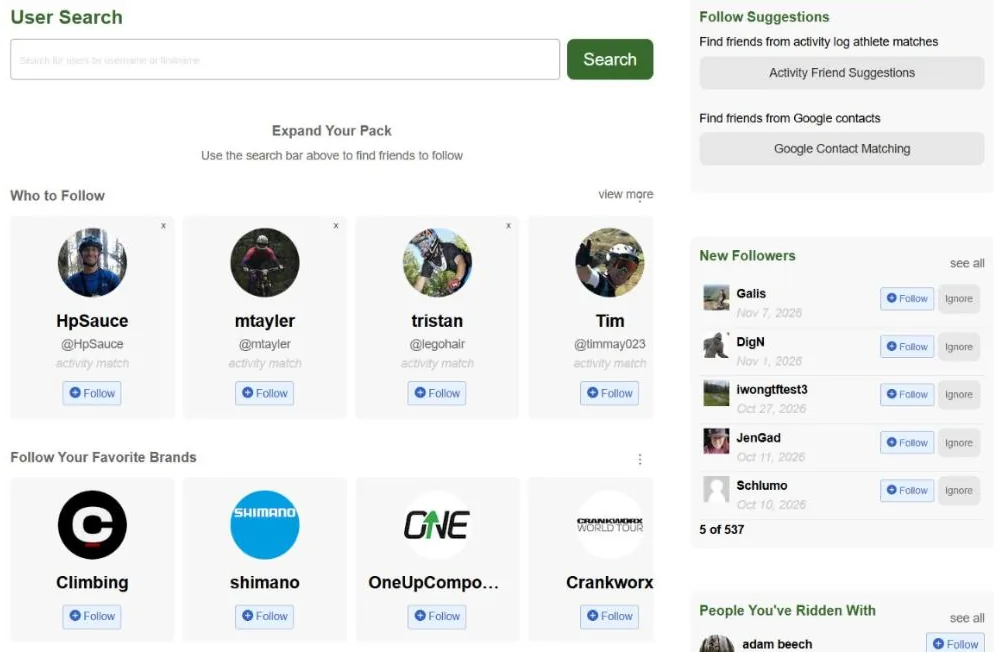
Open Discover on the map and pick the Friends tab. Every trail the people you follow have ridden in view lights up in that person's colour, so you can see the local favourites before you go.
Who rides here
The people you follow, ranked by activities and trails in the map view, with when they were last out.
Their trails, their colour
Each friend's trails are drawn in their own colour. Pick a time range and fade out the trails nobody rode.
Activities in view
A list of your friends' activities in the area, with distance and trail count, one click from the full activity.
Free accounts see how many people they follow have ridden in the area. Trailforks Pro shows the trails and activities.
Where riders like you ride
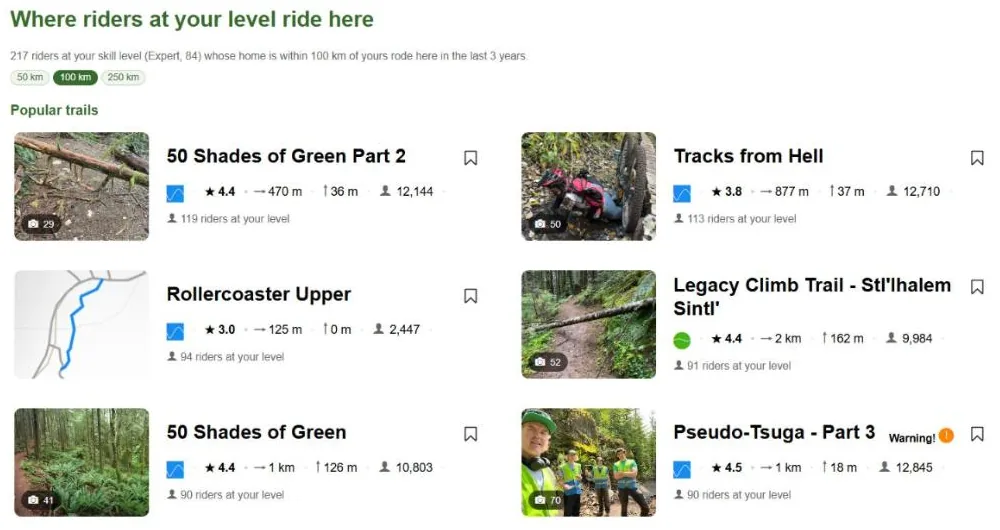
Visiting a new place? Every region page shows the trails, routes and recent activities of riders at your skill level who live near you, so you find the trails that suit you, not just the most popular ones.
- Popular trails and routes among riders at your level
- Choose riders whose home is within 50, 100 or 250 km of yours
- Based on the last 3 years of activities, and never shows where anyone lives
Trail reports & conditions
Riders, hikers and trail associations report trail status and conditions after every ride. Reports land in the feed, on the trail and on the region page, and anyone can High Five or comment on them.
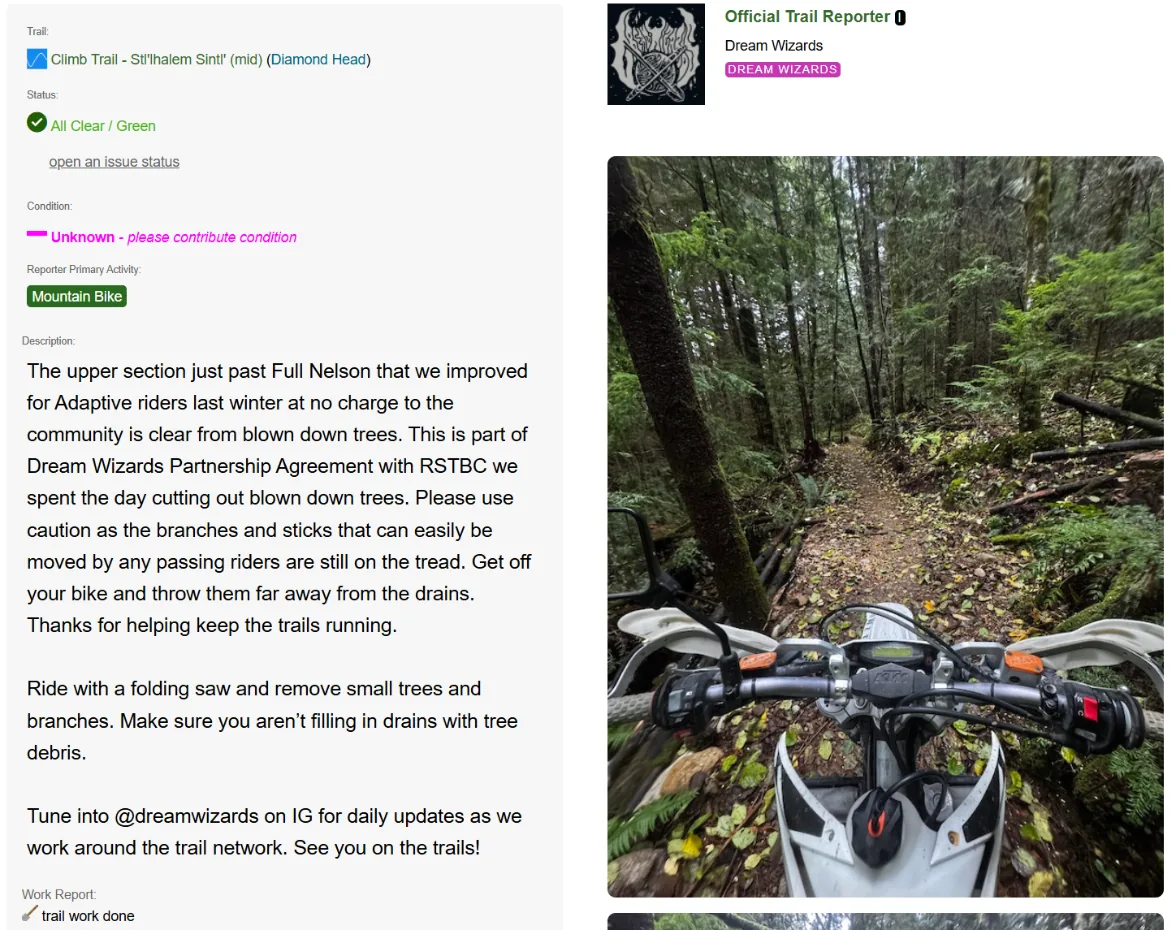
Report what you find
Status, condition, a description and photos, from the app or the web, in a few taps after your ride.
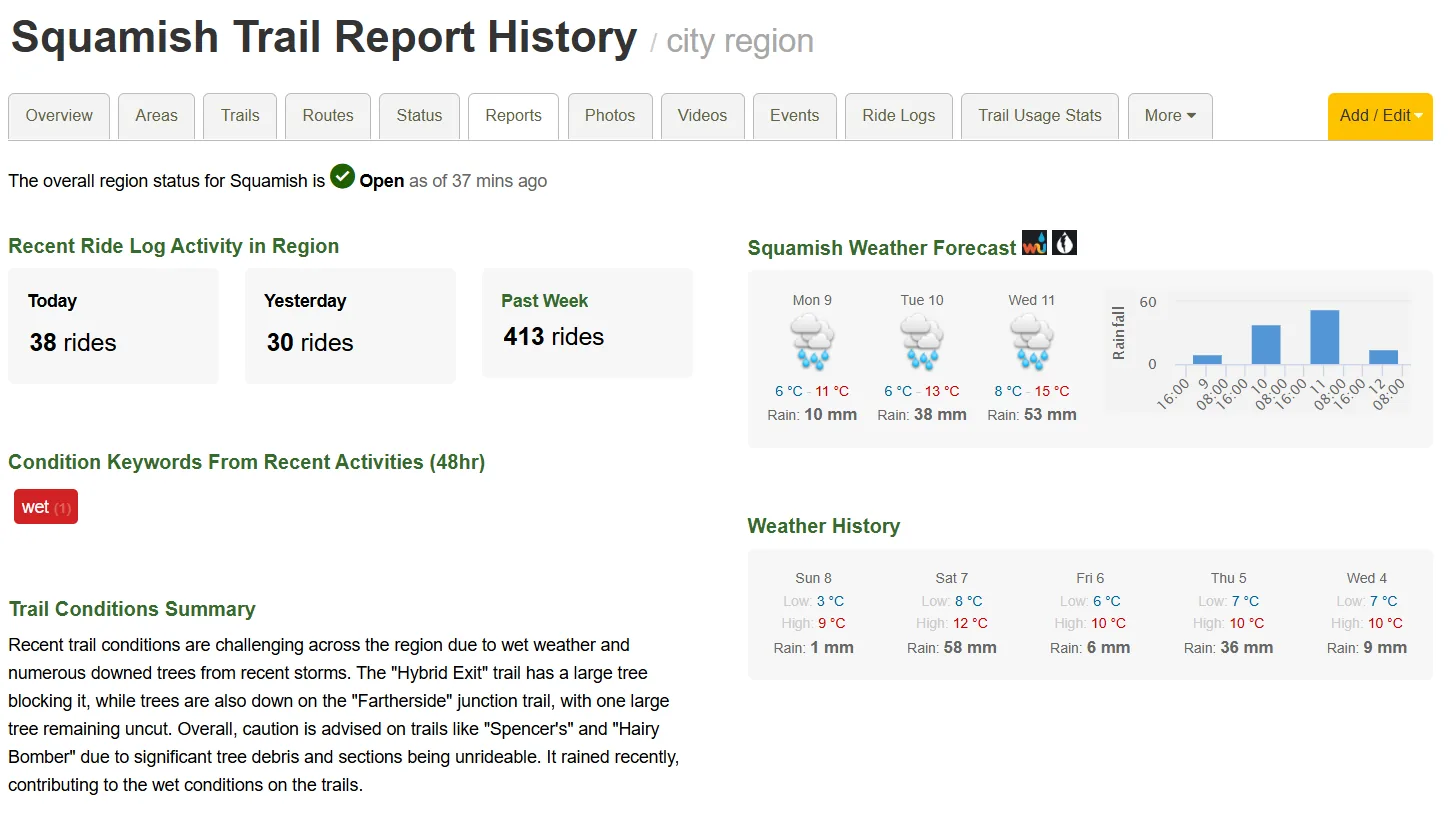
Get notified
Subscribe to a region or trail and get notified about new reports, filtered by status if you only want closures.
Reviews, ratings, photos & trail signs
Every trail page is shaped by the people who ride it. Rate and review trails, vote on difficulty and tags, and add the photos and videos that show what a trail is really like.
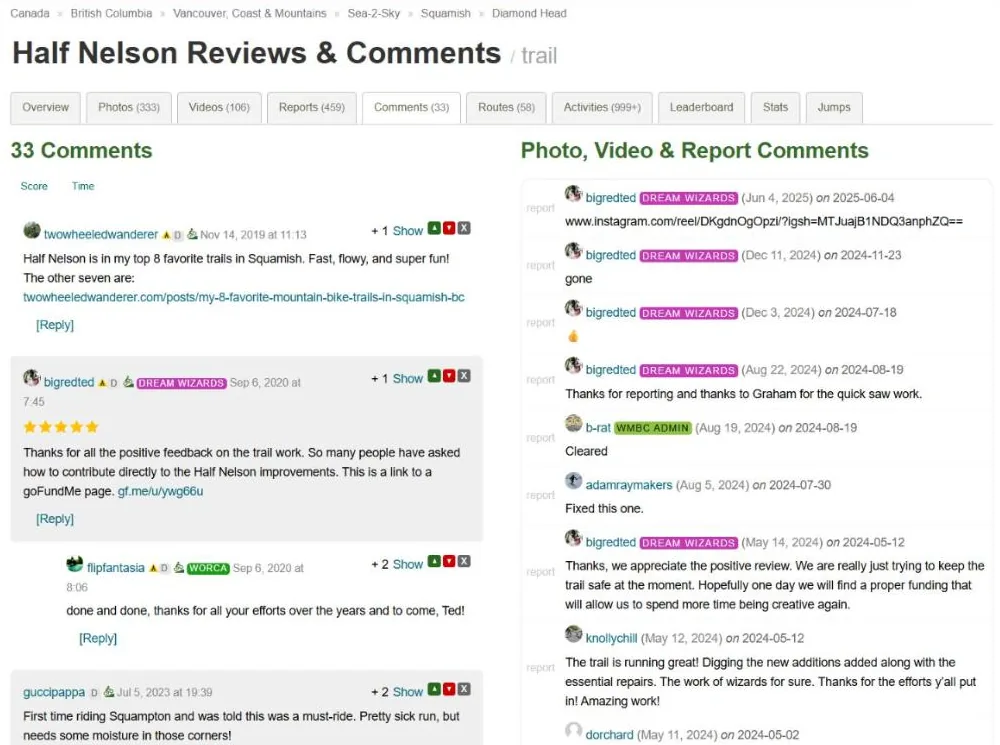
Reviews & ratings
1 to 5 star ratings and reviews on trails, regions, points of interest and businesses, with replies. Vote on trail difficulty and community tags.
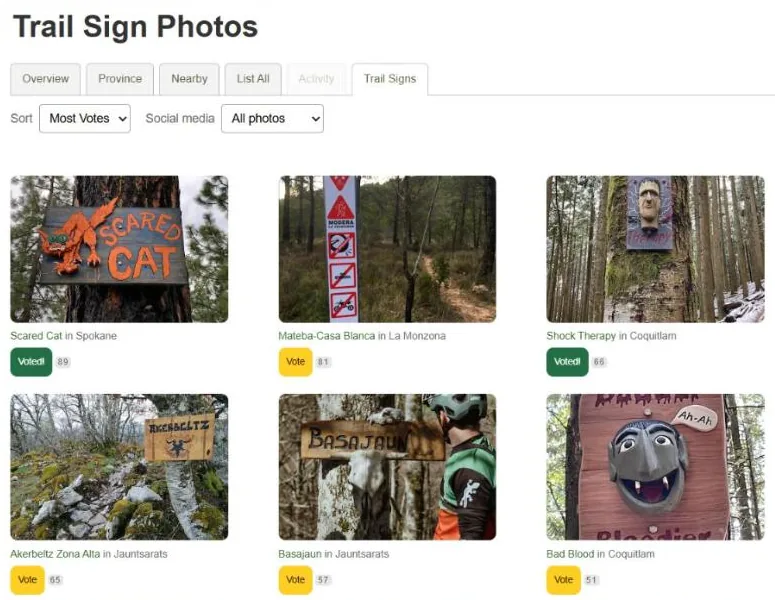
Photos, videos & trail signs
Upload photos and videos to any trail, help pick the best trail photos, and vote for the most creative trail signs.
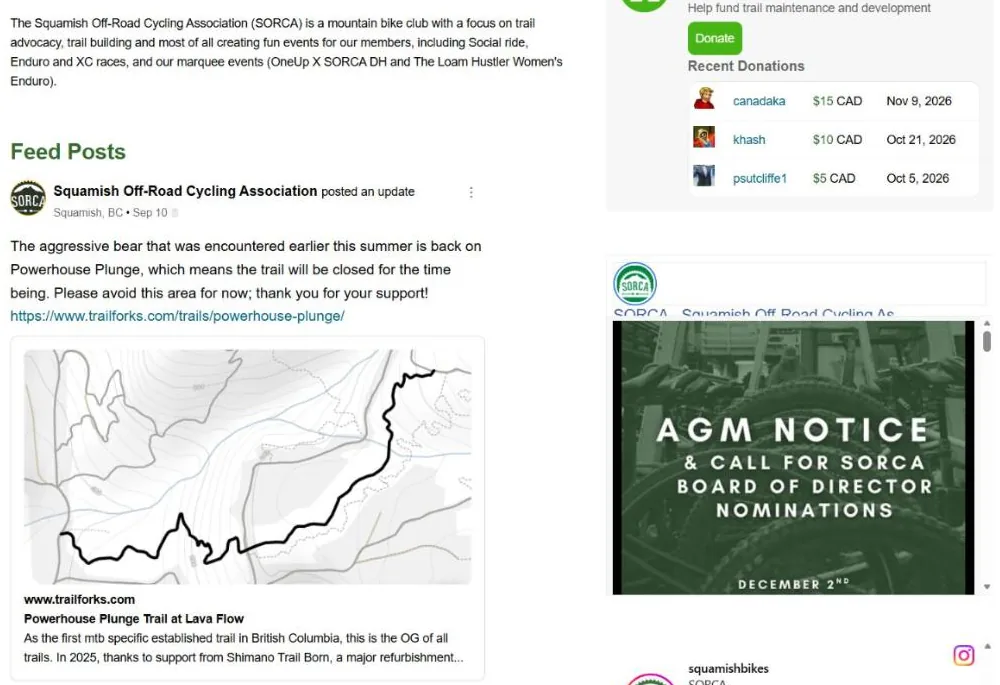
Trail associations, clubs & shops
Follow the trail association, club or shop behind your local trails. Their updates go straight to your feed, from trail closures to dig days and races.
- Posts from listings — the team behind a listing posts updates to everyone who follows it
- Email updates — trail association posts are also emailed to subscribers
- Trail Karma — donate to your favourite riding areas, straight to the local trail association
- Trail supporters — businesses and riders sponsor the trails they love
- Reviews and likes — rate and review clubs, shops and guides
Live location & group sharing
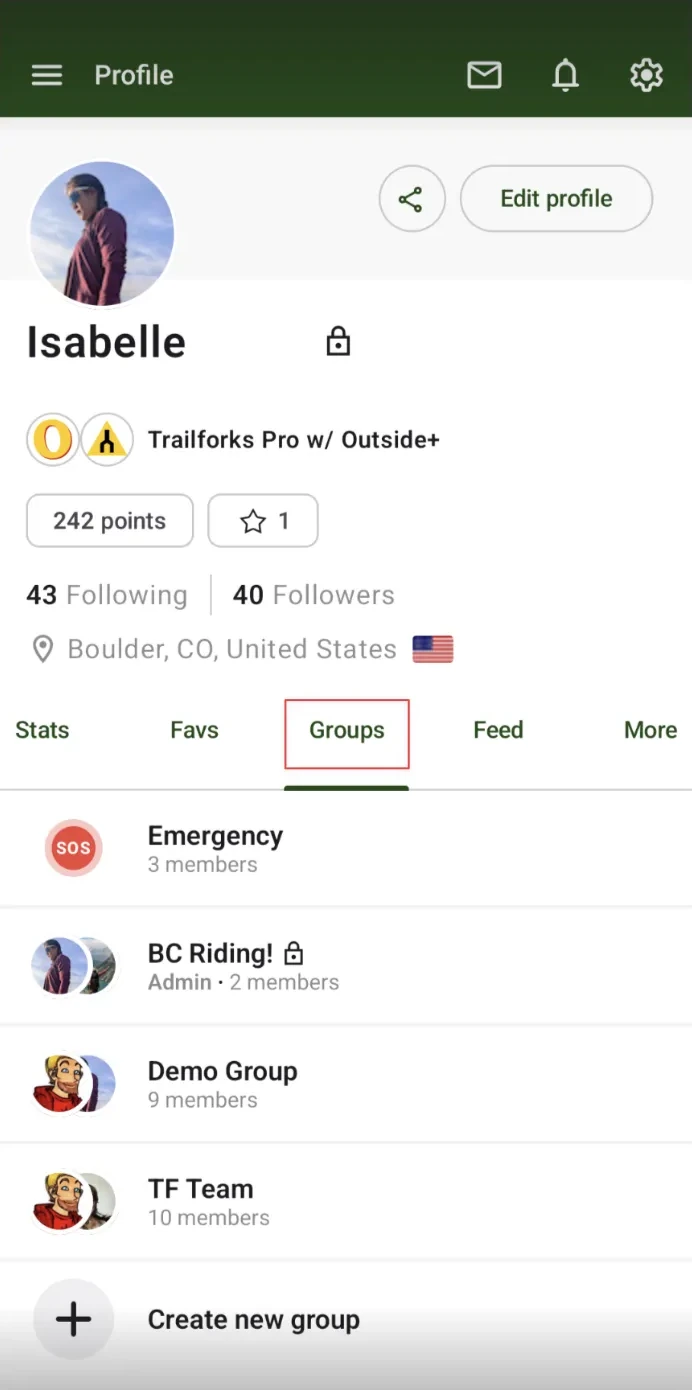
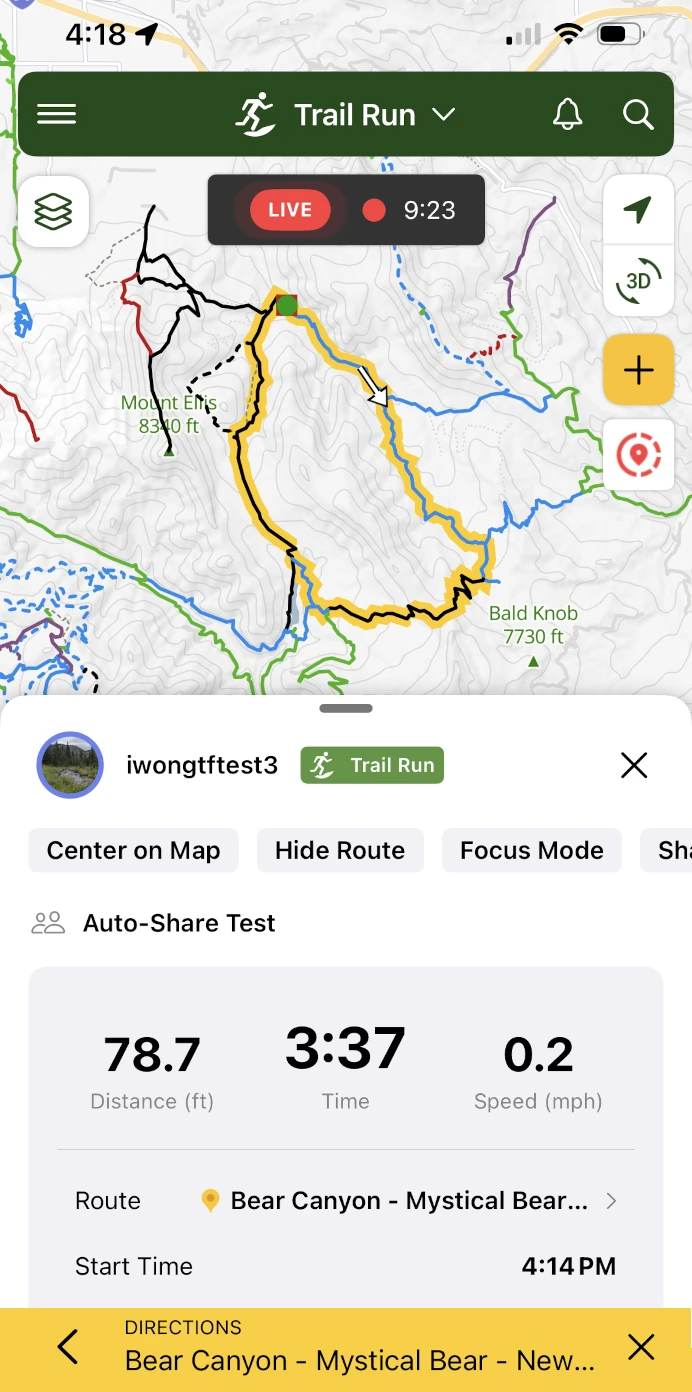
Share your live location from the Trailforks app with a link, so friends and family can follow along on a live map. Groups get a notification the moment someone in the group starts sharing.
Messages, events & more
Private messages Free
Message other riders in threaded conversations with read receipts. Save, archive and, with Pro, search your messages.
Events & group rides Free
Find races, group rides and trail days, RSVP as interested or going, and add them to your own calendar feed. Find events
Shared collections
Invite friends to a collection of trails, routes and waypoints as a viewer, an editor or an admin, and plan the trip together.
Share your ride Free
Turn an activity or trail into a share image with your track and stats, in a light or dark theme over a photo or a transparent background.
Notifications Free
Subscribe to regions, trails, routes, events and listings, and choose what you hear about: new trails, reports, comments or edits.
Contributor credit Free
Every trail and region lists its contributors. Earn contribution points and badges, or apply to manage your local region.
Privacy controls
Share as much or as little as you like. Every setting is free and lives in your profile settings.
- Post audience — Everyone, Followers or Only You, as a default and for each post or activity
- Private profile — people must send a follow request that you approve
- Privacy zones — hide the start and end of your activities around up to 5 places
- Your name — hide your first and last name from other users
- Leaderboards and replays — choose whether you appear on leaderboards and in Leaderboard Replays
- Feeds and suggestions — keep activities out of the nearby feed and the heatmap, and opt out of friend matching
- Check-ins, RSVPs, streaks and skill level — show or hide each one on your profile
- Block users — a blocked user cannot view your profile or follow you
Ride together with Trailforks Pro
Discover Friends on the map, message search, and location sharing groups with safety alerts.
Who can use what
The Trailforks community is free to join. Trailforks Pro adds Discover Friends on the map, message search, and location sharing groups with safety alerts.
| Feature | Free account | Pro |
|---|---|---|
| Activity feed, posts, High Fives & comments | Yes | Yes |
| Follow people, regions & associations | Yes | Yes |
| Where riders like you ride | Yes | Yes |
| Trail reports & report notifications | Yes | Yes |
| Reviews, ratings, photos & trail sign voting | Yes | Yes |
| Clubs, trail associations & Trail Karma | Yes | Yes |
| Events & RSVPs | Yes | Yes |
| Private messages | Yes | Yes |
| Share a live location link | Yes | Yes |
| Privacy controls & privacy zones | Yes | Yes |
| Discover Friends on the map | Friend counts only | Yes |
| Message search | No | Yes |
| Location sharing groups & safety alerts | No | Yes |
Community & social FAQ
How do I find and follow friends on Trailforks?
Search for people by username or first name, follow the riders Trailforks matched from activities you recorded together, or match your Google contacts. You can also follow regions, brands, trail associations and Outside authors. Their trails, activities, reports and posts then show up in the Following tab of your activity feed.
Is Trailforks a social network like Strava?
Trailforks has the social features you expect: follow people, an activity feed, High Fives, comments, reposts and private messages. It is built around trails, so the community also reports trail conditions, rates and reviews trails, uploads photos and videos, and supports the local trail associations that build and maintain them.
Can I see which trails my friends ride?
Yes, with Trailforks Pro. Open Discover on the map and pick the Friends tab. Every trail the people you follow have ridden in the map view is highlighted in that person's colour, with a list of their activities in view. Free accounts see how many people they follow have ridden there.
Who can see my activities and posts?
You choose. Each post and activity can be shared with Everyone, your Followers or Only You, and you set the default in your settings. Make your profile private and people must ask to follow you. Up to 5 privacy zones hide the start and end of activities near places like your home, and you can block users, stay off leaderboards and keep your activities out of the nearby feed.
How do trail associations and clubs post updates?
Trail associations, clubs and shops have a directory listing on Trailforks. People who manage the listing can post updates as the listing, which appear in the feed of everyone who follows it. Trail association posts are also emailed to the listing's subscribers, so trail closures and dig days reach riders fast.
What is Trail Karma?
Trail Karma lets you donate to your favourite riding areas. Donations go straight to the local trail association's PayPal account, and recent donations show on the association's listing and the region page.
Which community features are free?
The activity feed, following, posts, High Fives and comments, trail reports, ratings and reviews, photos and videos, clubs and associations, events, private messages, live location sharing and every privacy control are free with a Trailforks account. Trailforks Pro adds Discover Friends on the map, message search, and location sharing groups with safety alerts.
Join the trail community
Follow your friends and local trails, and share your next ride, run or hike with Trailforks.
More features: Leaderboards & Challenges · Trail Reporting · Group Location Sharing · Trail Supporters · All Features