
Trailforks Group Location Sharing

See Your Crew. Share Your Activity.
When you’re riding, skiing, or running with others, knowing where everyone is matters - for coordination, safety, and peace of mind. Group Location Sharing on Trailforks lets you share your live location with trusted groups and see where others are in real time, directly on the Trailforks map.
Whether it's a weekend activity with friends, a race event, a high school league practice, or a guided backcountry ski trip, Group Location Sharing helps everyone stay connected on the trail.
What Is Group Location Sharing?
Group Location Sharing allows Trailforks users to:
- Share their live GPS location while recording an activity
- View the live positions and activity stats of other group members
- Create and manage private, public, or emergency groups
- Join group sessions via invite, link, or QR code
- Choose whether to share their location or be a silent observer
- Coordinate before, during, and after group activities
This is not just location sharing - it's group awareness built for real trail networks and outdoor sports.

Core Features
As a new feature for 2026, we are excited to share the initial capabilities of Group Location Sharing, with plans to expand and improve based on user feedback and needs.
Create & Manage Groups
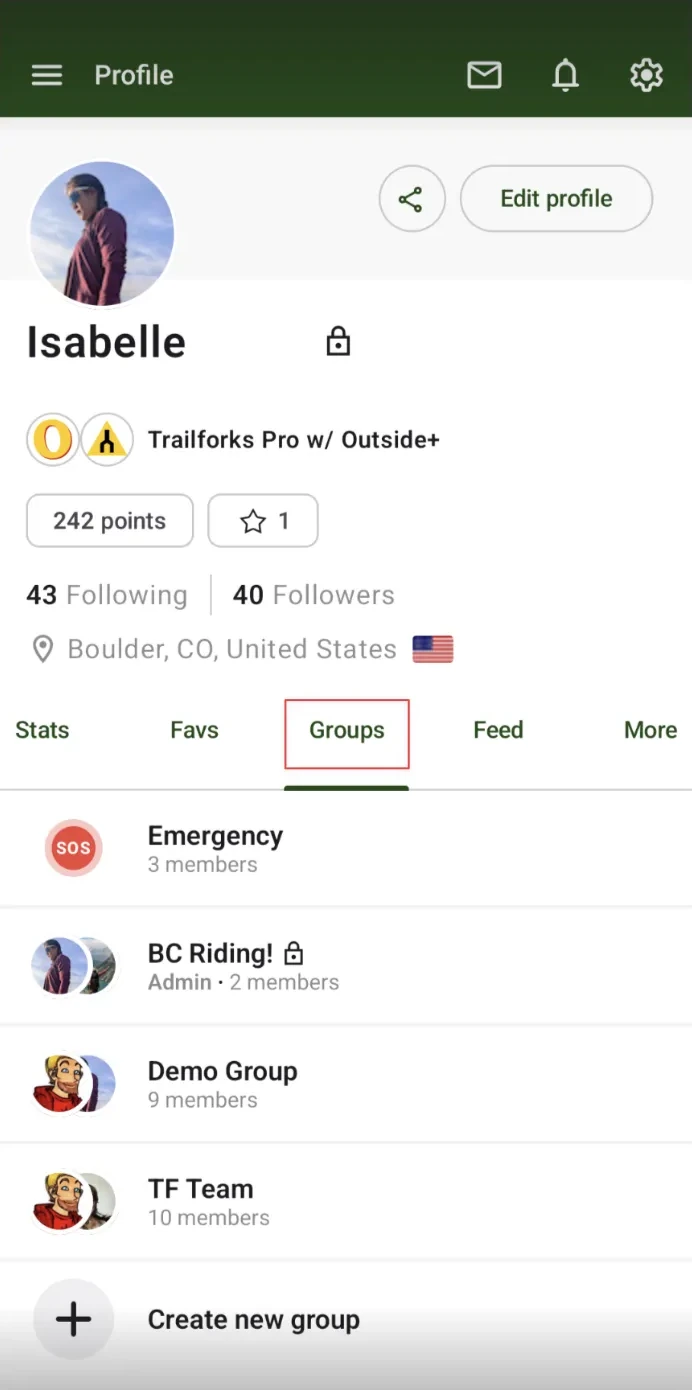
- Riding crews
- Teams and clubs
- Events or races
- Guiding clients
- Family or emergency contacts
Share Live Location while Recording
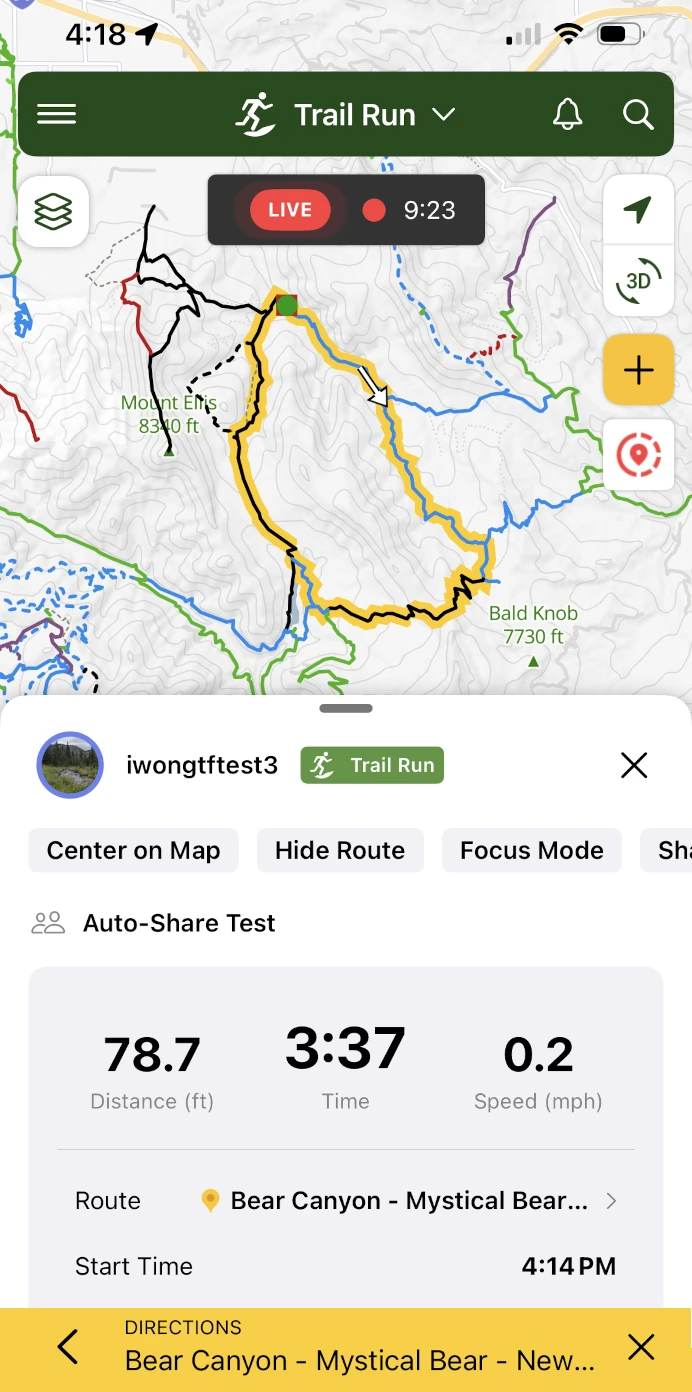
- Enable Live Location Sharing
- Share an activity route for others to follow you along the way
- Share with one or more groups
- Change sharing settings mid-activity
- Stop sharing at any time
Live Map Visibility
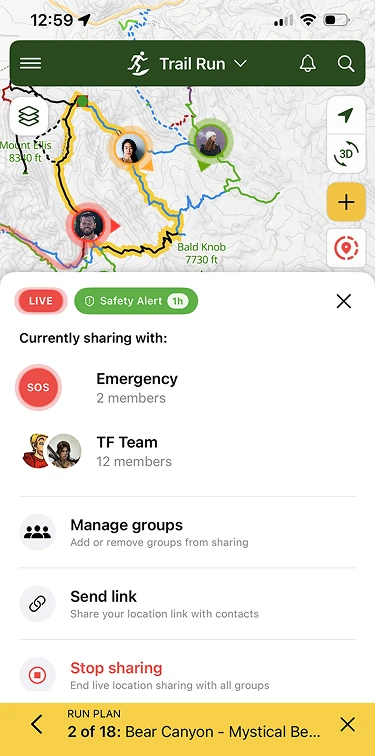
- See each other's realtime positions on the Trailforks map
- View basic activity stats while someone else is recording
- Understand where users are relative to trails, intersections, and trailheads
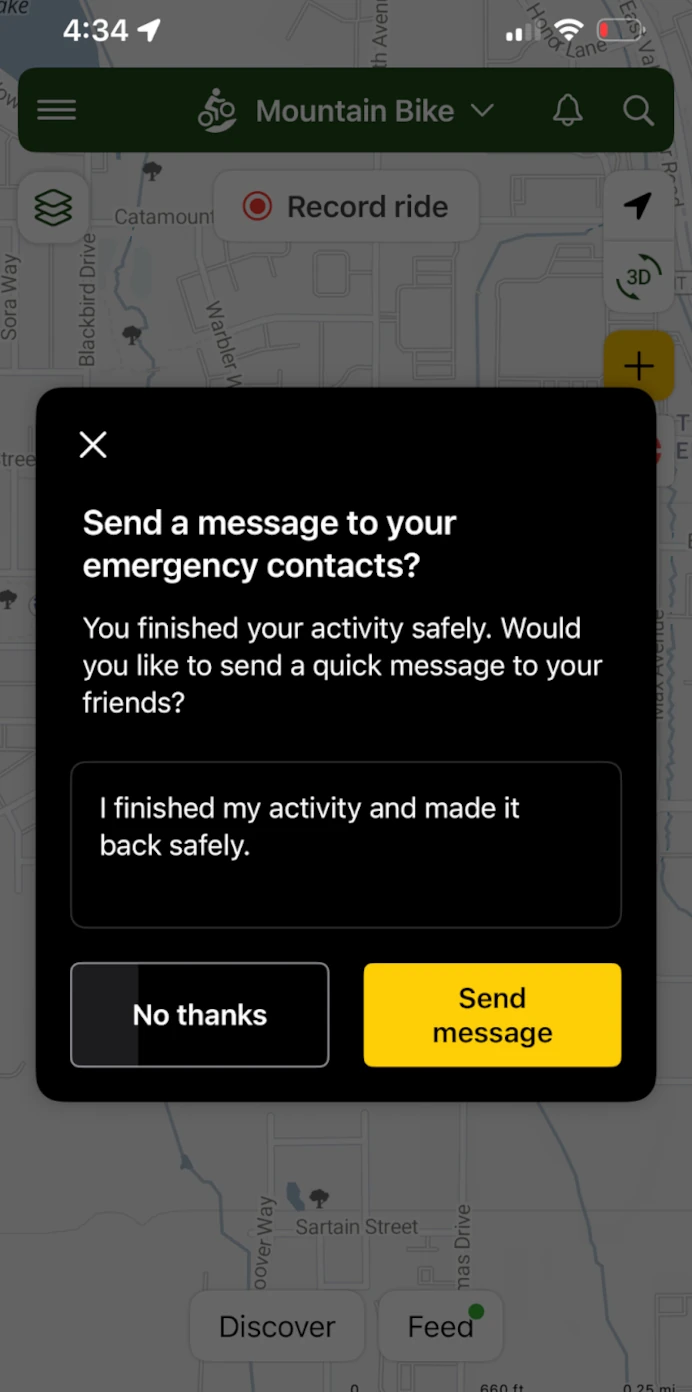
Emergency & Safety Groups
- Useful for solo activities in remote areas
- Supports assistance scenarios when needed
- Send a message to your Emergency Contacts after finishing an activity
- Create a safety alert while out riding
Notifications & Awareness
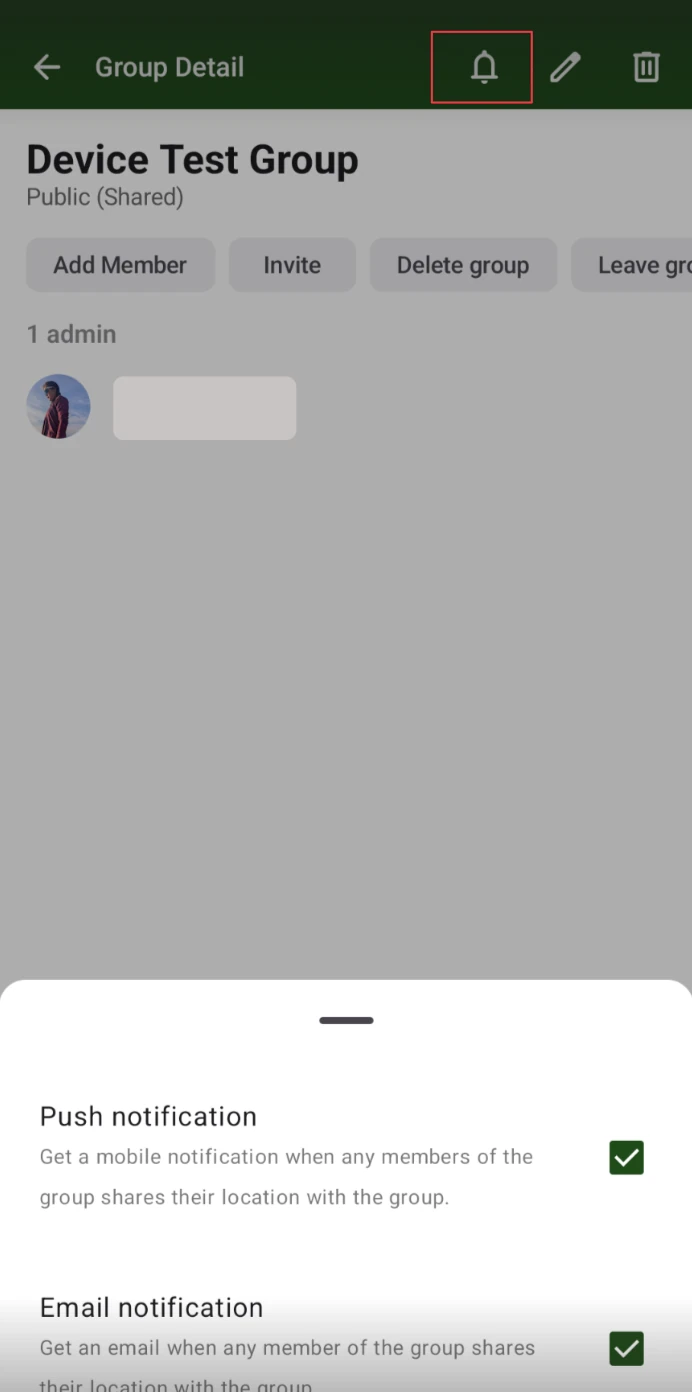
- They are added to a group
- Someone starts sharing their location
- A group session becomes active
Privacy & Control
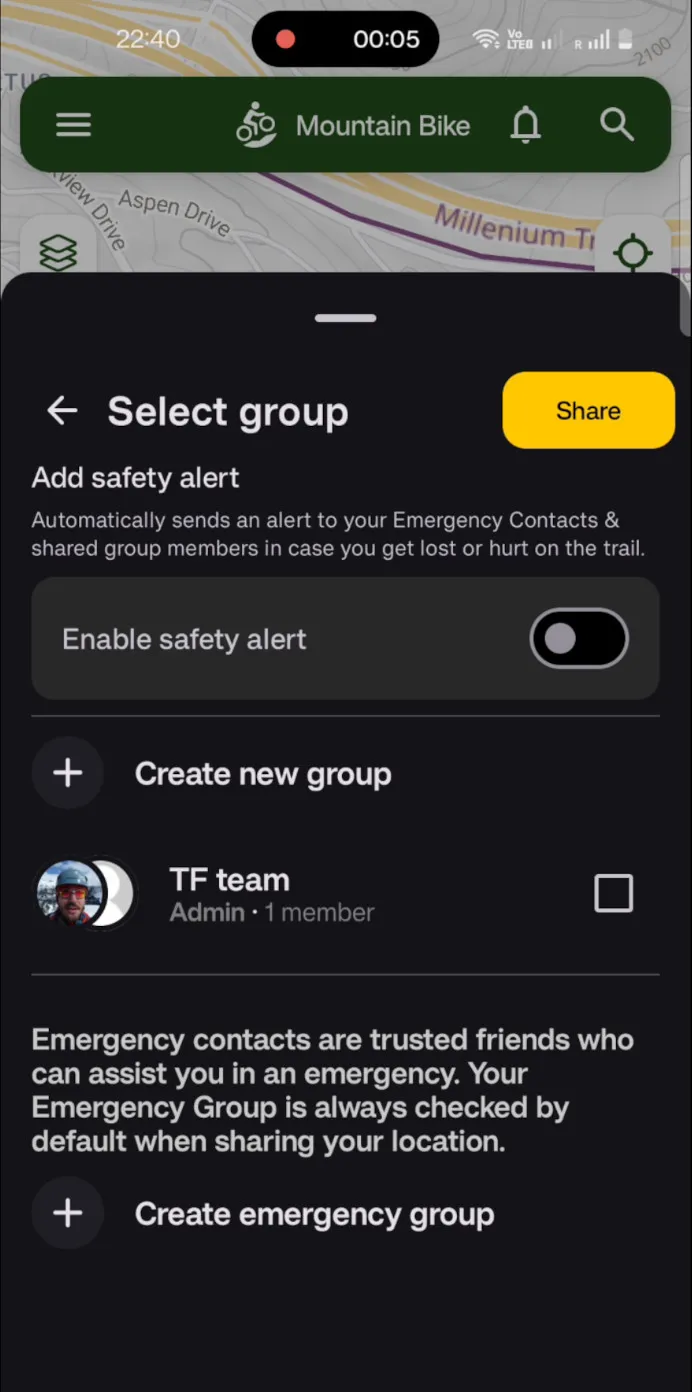
You choose when to share, who to share with, and how groups are used. Your live location is never shared publicly by default.
Other features include
Silent Observer Mode
Perfect for parents, coaches, or event organizers monitoring participants remotely.
Quick Joining via Links & QR Codes
Ideal for races, leagues, and guided trips where participants may not know each other beforehand.
Group Sessions & Post-Activity Context
Future enhancements will support aggregated group stats and comparisons, adding a social and performance layer to group activities.
Real-World Use Cases
🏆 Races & Events
- Track participants on a race course
- Monitor user progress in real time
- Help organizers and volunteers manage large courses
- Improve safety response if someone stops unexpectedly
🎓 High School & Youth Leagues
- Coaches can monitor where athletes are on course
- Parents gain peace of mind
- Easier regrouping during practices
- Great for skill clinics on complex trail systems
🧭 Guiding & Instruction
- Track your clients across unfamiliar terrain
- Instructors can monitor student progress
- Faster response if someone falls behind
- Better management of mixed-ability groups
🚵♂️ Riding Crews & Clubs
- No more "Where are you?" texts
- Easier meetups and regrouping
- See who’s ahead or behind on the trail
Standard Features
- Share your live location via link or to your groups while recording an activity
- View another user's live location in app and on the web
- Accept invites and invite other users to groups
- Create an emergency group to share your location with your emergency contacts
- Get notified that you've been added to a group
- Get notified that another user has shared their location with you
More with Trailforks PRO
- Create public or private groups where other members of the group or admins can invite members
- Share your route so that others can follow along the way in real time
- Set-up a Safety Alert for your Emergency contacts and other members of your shared groups in case you get hurt or lost on the trail
- Create additional emergency contacts
- Auto-share to your Emergency Group and other selected groups
- Set custom message on sharing start
- Set an alert timeframe for your activity, and send a notice if activity exceeds it.
- Send "all good" message after your activity is done to let observers know you made it back safely
- View users observing your location
- View groups you shared with on Activity Details
- Full Group Stats and Leaderboard

Group Location Sharing turns Trailforks into a real-time coordination tool for the outdoors. It helps teams train smarter, guides manage safer trips, and friends ride more smoothly together.