
We have moved Trailforks support to a new help center. Please visit help.trailforks.com for support.
These articles might be out of date.
These articles might be out of date.
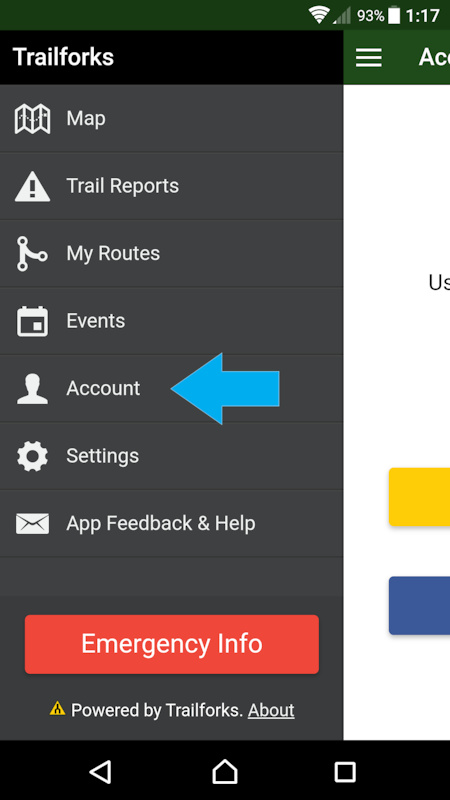
1 - Login to the App, if not already done so
![photo]()
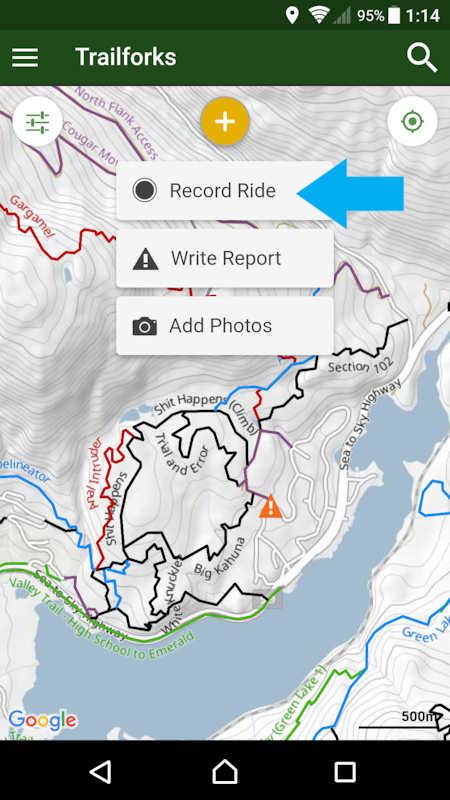
2 - Press the yellow button to reveal the record your ride option
![photo]()
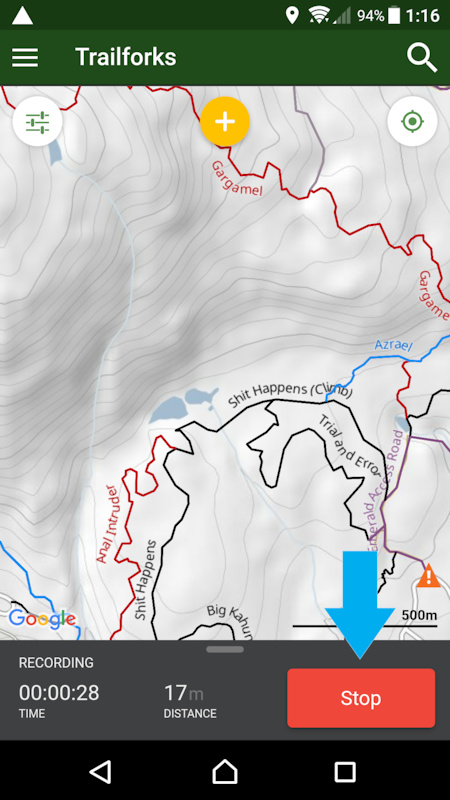
3 - When done riding press the stop button
![photo]()
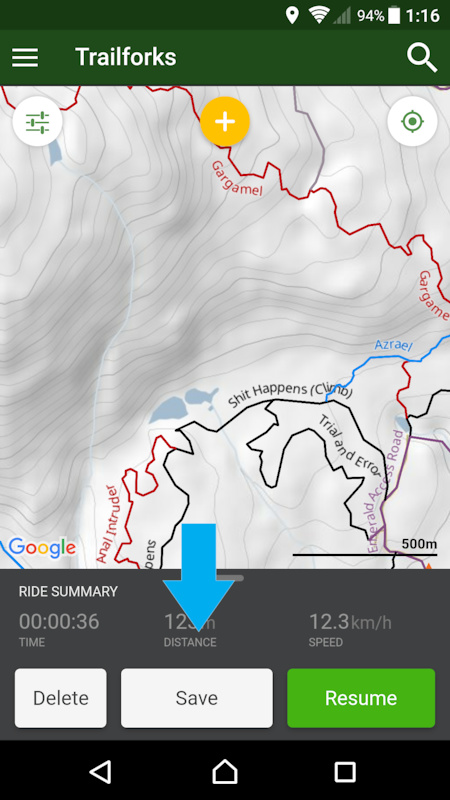
4 - Press the save button
![photo]()
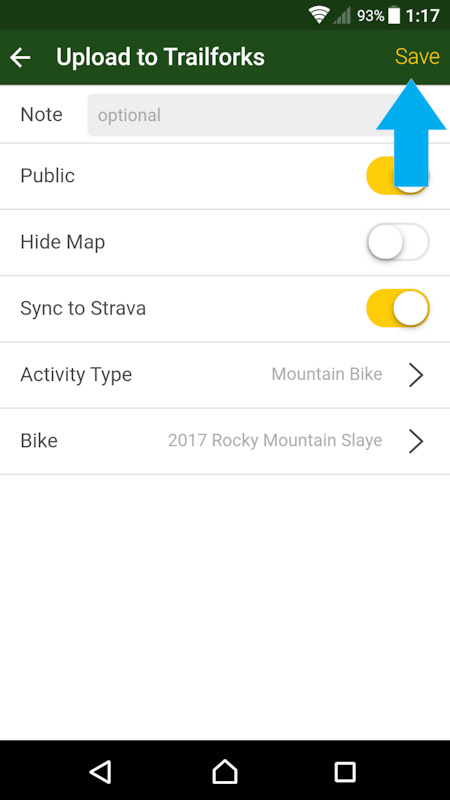
5 - Enter your ride details, like an optional name
![photo]()
6 - Your ride will upload in the background and be available to view on the Trailforks.com website ridelogs page or in the app under the "My Ridelogs" tab in the main menu.
For best results tracking see this guide about specific settings and permissions on your phone to help GPS tracking apps.
2 - Press the yellow button to reveal the record your ride option
3 - When done riding press the stop button
4 - Press the save button
5 - Enter your ride details, like an optional name
6 - Your ride will upload in the background and be available to view on the Trailforks.com website ridelogs page or in the app under the "My Ridelogs" tab in the main menu.
For best results tracking see this guide about specific settings and permissions on your phone to help GPS tracking apps.
- By canadaka
 Trailforks
 - #88 - 30,497 views